JWT.io Alternative Offline: Decode, Verify, Re-Sign JWTs
A practical local JWT debugging workflow: decode claims, inspect exp and nbf, verify signatures with the right key material, and re-sign HMAC tokens without network requests.
Martijn Smit 5 min read
A JWT.io alternative for offline debugging
I want a jwt.io alternative offline when debugging a real token, without pasting its claims or signing secret into a website. HackUtilities’ desktop JWT Debugger lets you decode tokens, verify signatures, inspect time claims, and re-sign HMAC tokens locally. These operations make no network requests.
A browser decoder is an option for sample tokens you can safely share. Choose a desktop debugger when customer or staging tokens and real verification keys must stay local, including expired-token debugging and HMAC re-signing. Before editing, read the original claims, inspect the time fields, and verify the signature with the expected secret or public key.
Decoding a JWT does not authenticate its claims
Decoding turns the header and payload from base64url-encoded text into readable JSON. No signing secret or public key is needed. A payload containing "role": "admin" tells you what the token claims, but someone could change that value and leave you with readable JSON and a signature that no longer matches.
Verification checks the signature against the signed content using the key material you supply. If you suspect a staging token was signed with another environment’s secret, checking it against the expected secret can test that suspicion. Even a matching signature does not establish that your application should grant access based on those claims.
The JWT Debugger’s local processing covers decoding, verification, and signing specifically. Other HackUtilities features, including license activation and update checks, use the network.
The local JWT workflow when a token looks wrong
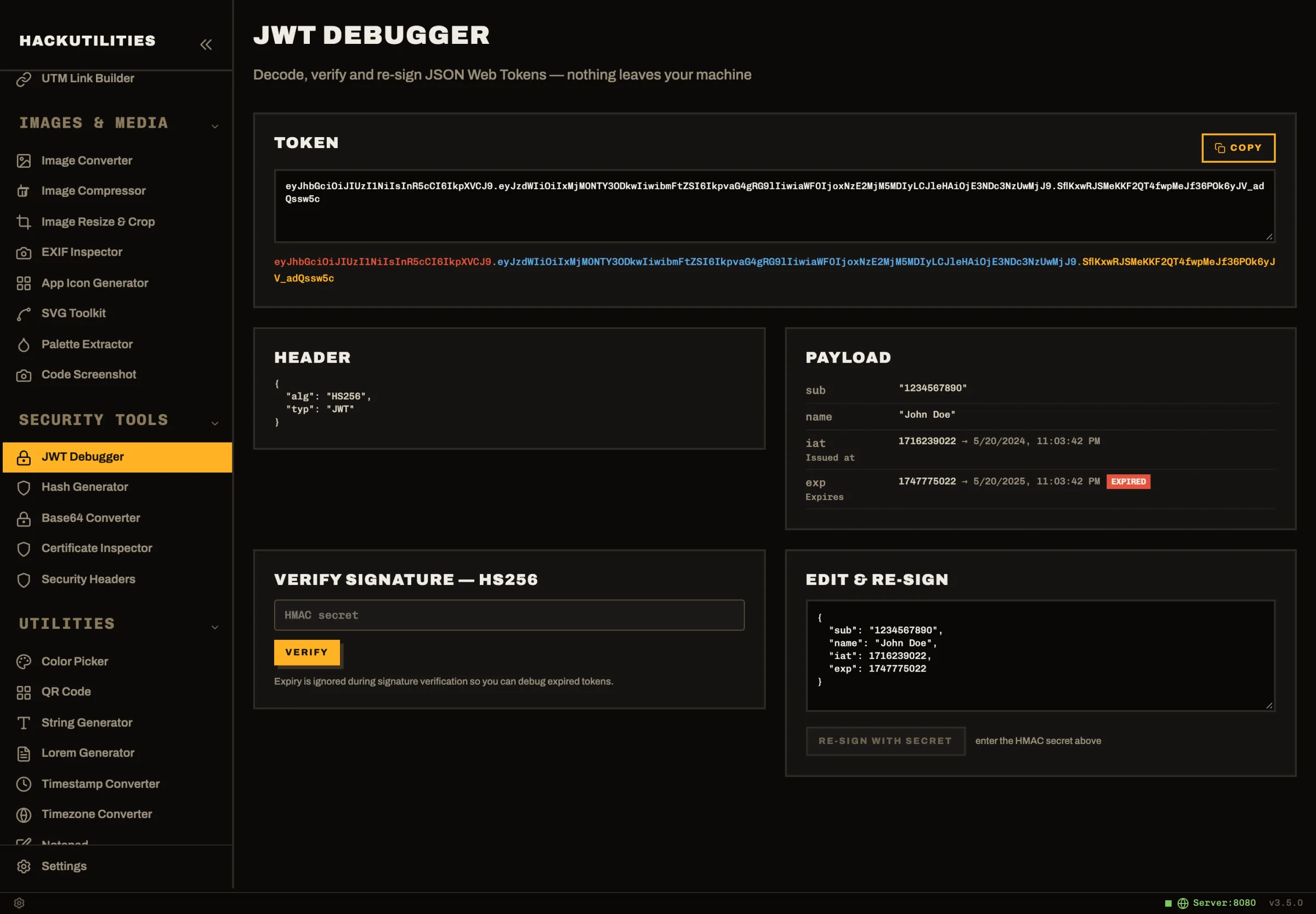
Open Sidebar → Security Tools → JWT Debugger. A sample token is loaded by default, so you can try the controls before replacing it.
-
Paste your JWT into the Token field. Below it, the header, payload, and signature appear as three color-coded parts. If the token does not have three dot-separated parts, or its header or payload is not valid base64url JSON, the debugger shows an error. If you copied it from a log, check that you captured the complete token.
-
Read the Header and Payload cards. Check the header’s
alg, then compare the payload’s claim values with the request you’re investigating. An unexpected user identifier, for example, may explain why a request is acting as a different test account. Leave the payload unchanged while checking the original. -
Inspect the time claims. Compare fields such as
expandnbfwith when the failing request happened, rather than only with the time you opened the debugger. A token copied from yesterday’s logs needs that context. -
Supply the key material and click Verify. Under Verify signature, enter the HMAC secret or paste the supported public key for the token’s algorithm. Pasting the token does not perform verification. Read the signature valid badge or invalid result with its reason before editing.
Which signatures HackUtilities can verify
For public-key tokens, the accepted format is SPKI PEM, with a -----BEGIN PUBLIC KEY----- opening line.
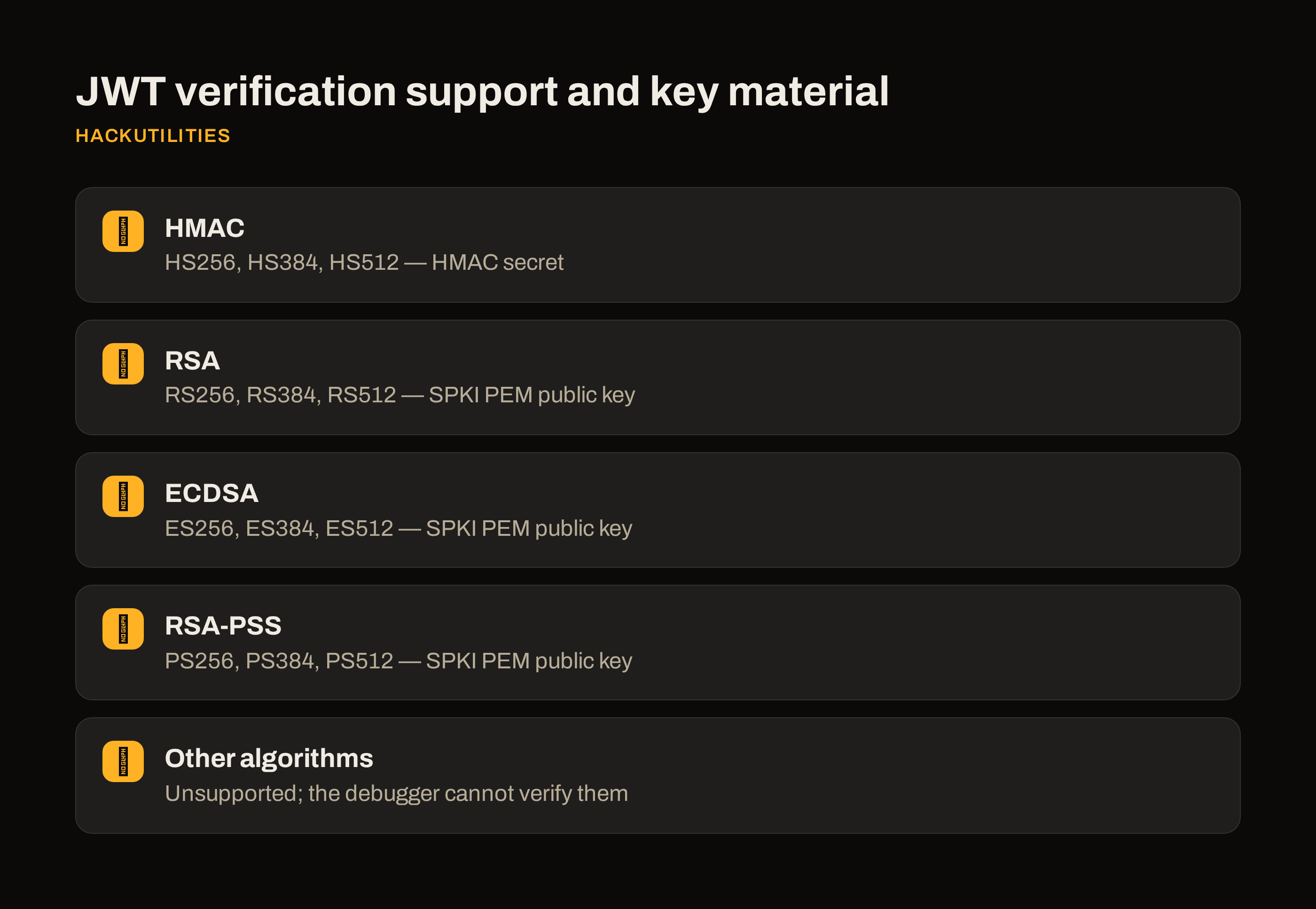
| Algorithm family | Supported algorithms | Required input |
|---|---|---|
| HMAC | HS256, HS384, HS512 |
HMAC secret |
| RSA | RS256, RS384, RS512 |
SPKI PEM public key |
| ECDSA | ES256, ES384, ES512 |
SPKI PEM public key |
| RSA-PSS | PS256, PS384, PS512 |
SPKI PEM public key |
Gather the appropriate key material before debugging. An HS384 token needs the shared secret; an RS256 token needs the public key in the format above.
Algorithms outside this list are unsupported by the debugger. The tool reports that the algorithm cannot be verified here. That differs from an invalid signature: it has not established whether the signature matches. Use a verifier that explicitly supports the algorithm rather than treating this limitation as evidence against the token.
Reading exp and nbf separately from the signature
The Payload card labels exp as Expires, nbf as Not before, iat as Issued at, and auth_time as Auth time, converting each to your local date and time. For exp, an expired or valid badge shows its expiration status. A future nbf gets not yet valid. The valid badge beside exp describes that time check, not an overall verdict on the token.
The debugger ignores expiry during signature verification. An expired badge and a signature valid result can therefore appear together: the expiration time has passed, but the signature still matches the supplied key material. You can investigate an expired token without changing its timestamps and losing the original evidence.
Suppose a staging request fails after the token’s exp. Verification can check whether the unchanged token matches the expected key, while expiration identifies a separate reason it is no longer usable. A future nbf indicates that permitted use has not started. A successful signature check does not override either time restriction.
Editing and re-signing HMAC tokens locally
For a controlled local test, Edit & re-sign lets you change the payload of an HS256, HS384, or HS512 token and sign it with the entered secret. It keeps the existing header. Re-signing is disabled for non-HMAC tokens and when no secret is entered, so this flow cannot produce a new RSA, ECDSA, or RSA-PSS token.
- Verify the original HMAC token against your test environment’s secret. Leave that secret in HMAC secret for signing.
- Edit the payload JSON in Edit & re-sign. For example, change a test account’s role to reproduce an authorization issue. Change only the claim needed for that test so you can interpret the result.
- Click Re-sign with secret. The newly signed token replaces the contents of the Token field.
- Click Copy to use that token in your local test request. Keep the original separately for comparison.
Check the warnings before proceeding. A header with alg: none triggers a warning that the token is unsigned and must never be accepted in production. For HS256 tokens with a typ header, entering a secret shorter than 32 characters triggers the weak-secret warning. Neither is a reason to change the algorithm just to get through a test.
For repeated checks, copy a JWT and switch to HackUtilities. Smart clipboard detection runs locally and offers Open in JWT Debugger in the JWT token in your clipboard banner, opening the tool with that token filled in. The JWT Debugger then processes it inside the app without network requests.
Try the sample token with the 14-day free trial, then compare a staging request before and after changing one claim.