Developer Toolbox App Mac: Utilities Aren’t Enough
Most developer toolbox apps for Mac stop at JSON and JWT chores. This article argues for a better test: can one app start your repo, watch agents, and keep sensitive tools local?
 Martijn Smit
4 min read
You open a repo, rebuild the usual stack of terminal tabs, and leave an agent working while you fix something else. Later, you discover the queue worker has stopped and the agent has been waiting for permission. If you’re searching for “developer toolbox app mac”, a JSON formatter alone won’t help you notice either problem.
I want more from a developer toolbox app for Mac than a collection of quick utilities. Those tools earn their place, especially when the alternative is pasting a token into a website. But alongside local servers and coding agents, the toolbox should also help start the repo and surface waiting sessions.
Utilities aren’t enough
Switching client repos should not mean remembering which startup commands belong to each one or which terminal contains the process you need to restart.
If a test job never runs, you can waste time debugging its handler before discovering the queue worker has stopped. I’d want the toolbox to make that stopped process visible before I start tracing application code.
Three layers
The workspace layer holds projects and their processes, including terminals. Agent supervision tracks which sessions need your attention. The utility layer handles local data tasks, such as filtering a JSON response.
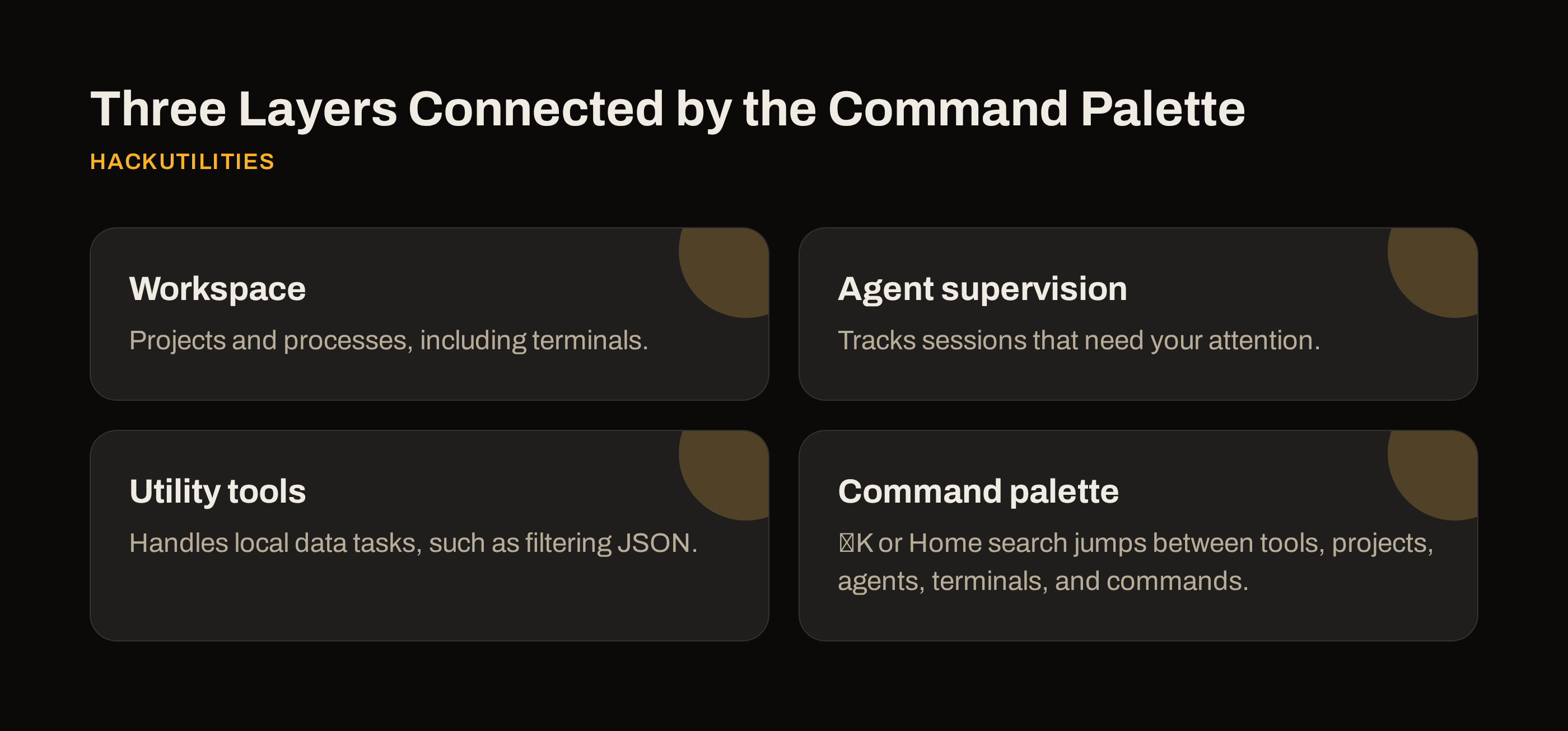
In HackUtilities, ⌘K opens a command palette that jumps to tools, projects, running agents, terminals and commands. The Home search box opens the same palette. You can move between utilities and workspace items without leaving the app.
Start the repo
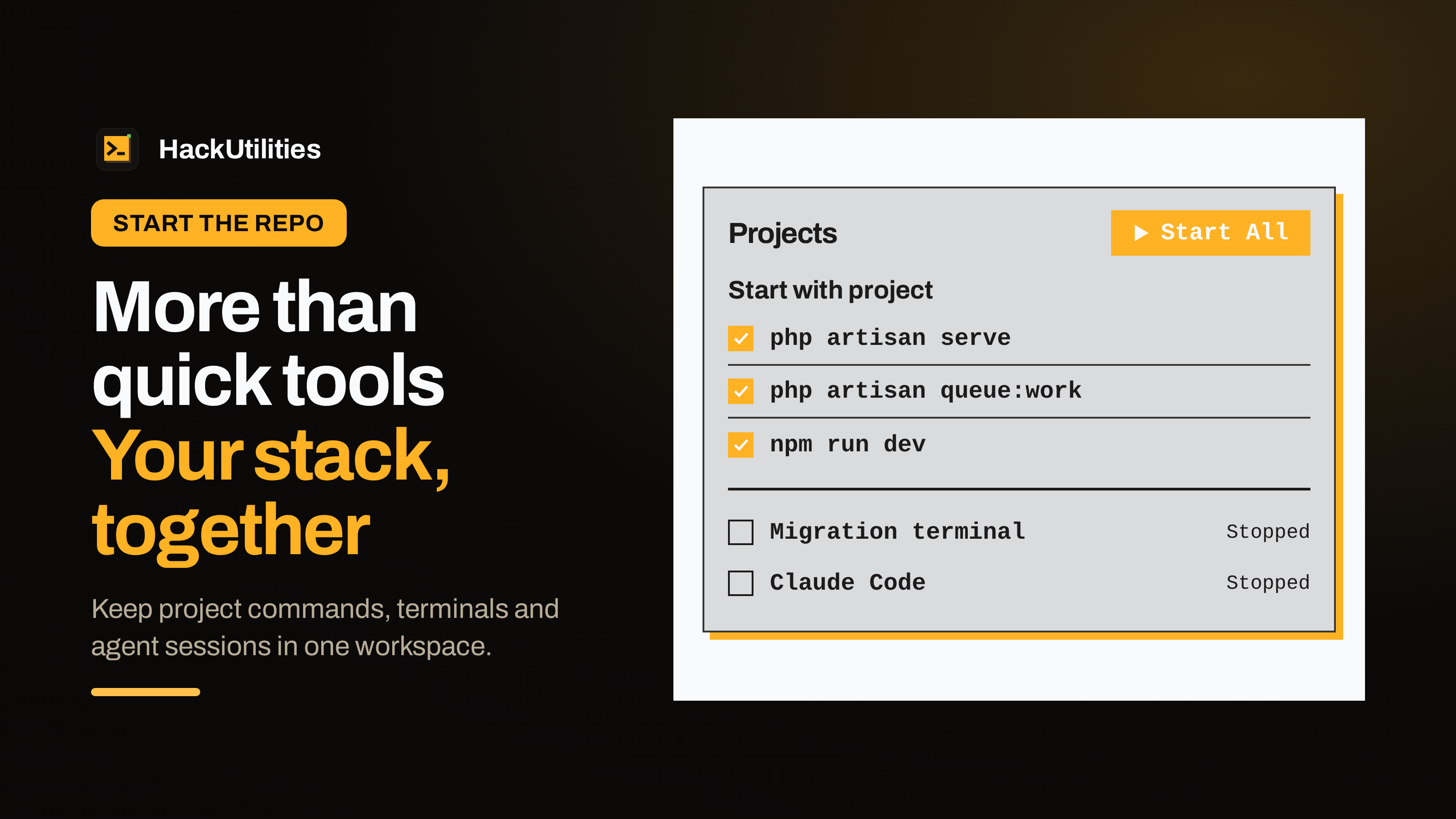
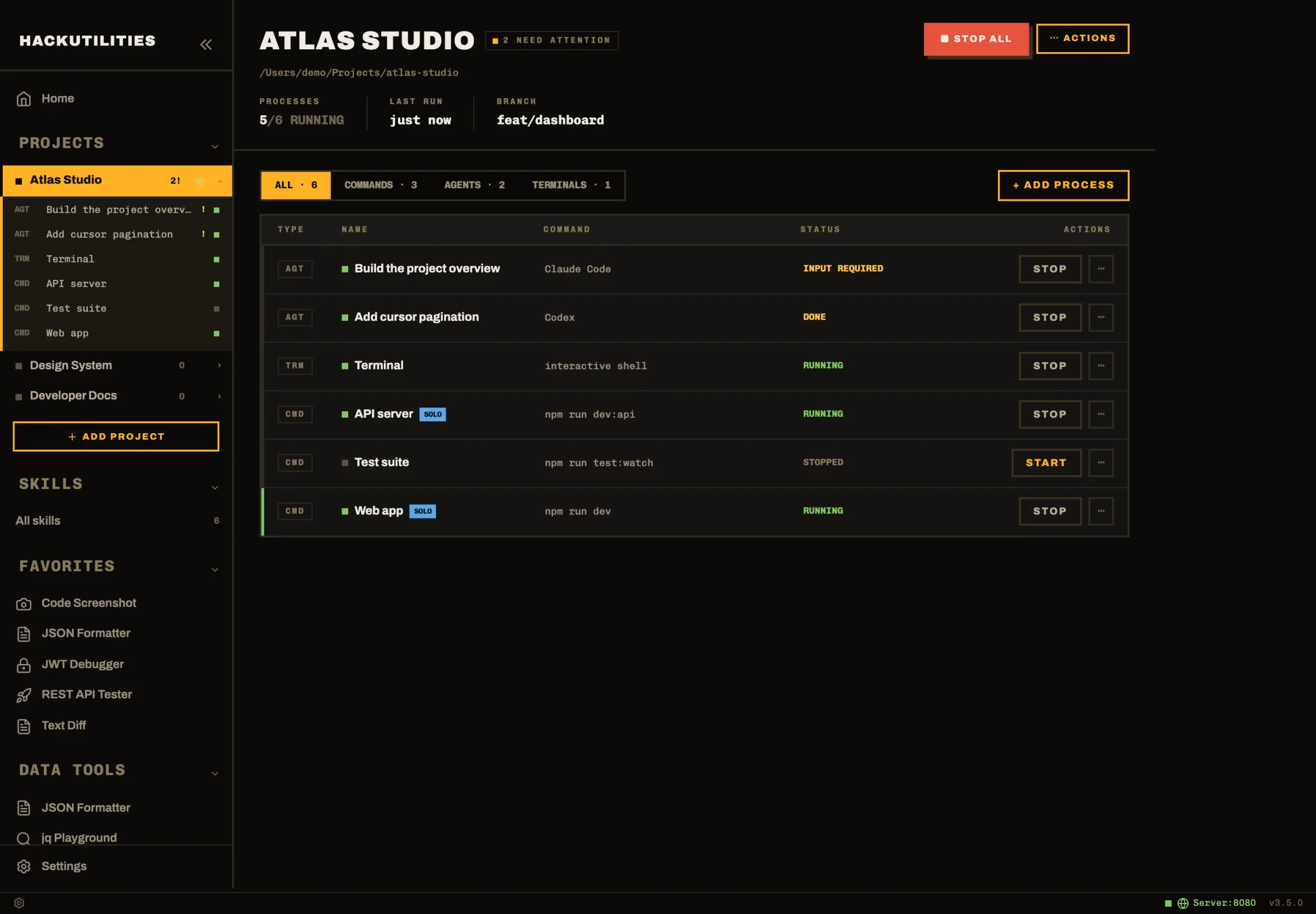
In HackUtilities’ Projects, you register a local repo folder and keep its commands, real terminals and agent sessions together. For a Laravel app, that could mean php artisan serve, php artisan queue:work and npm run dev, alongside a terminal for migrations and a Claude Code session.
Mark those three commands Start with project, then click Start All. It launches only trusted, marked commands that aren’t already running, through your login shell in the project directory. The migration terminal and Claude Code session stay stopped until you start them deliberately.
Commands support auto-restart with crash-loop detection, so a failed worker can restart without retrying endlessly. Restart on file change lets a process pick up configuration edits without a manual stop and start.
Catch waiting agents
A terminal tab tells you where a session lives, but not whether it needs a decision. HackUtilities supports multiple sessions of the same agent in one project, each with its own terminal and activity state.
For Claude Code, it reads the agent’s own session files rather than guessing from terminal output. Permission required, Input required and Done distinguish a permission prompt from a question or completed work. Codex and other agents use conservative heuristics; output alone never changes their state.
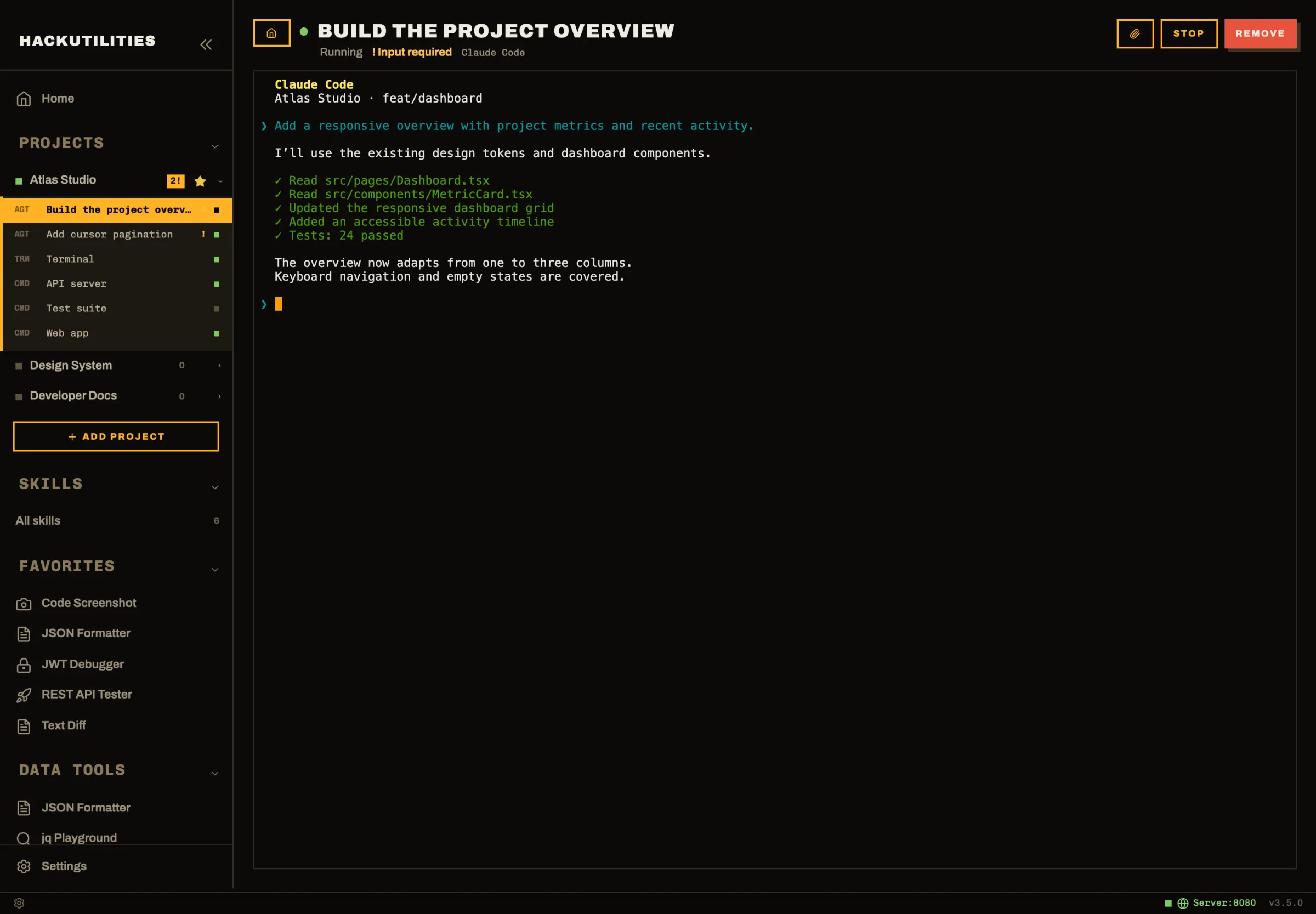
When HackUtilities is in the background, a new attention state triggers an OS notification. Clicking it takes you to that session. The Dock badge counts live agents needing attention, and the command palette groups them under Needs Attention.
Tools stay close
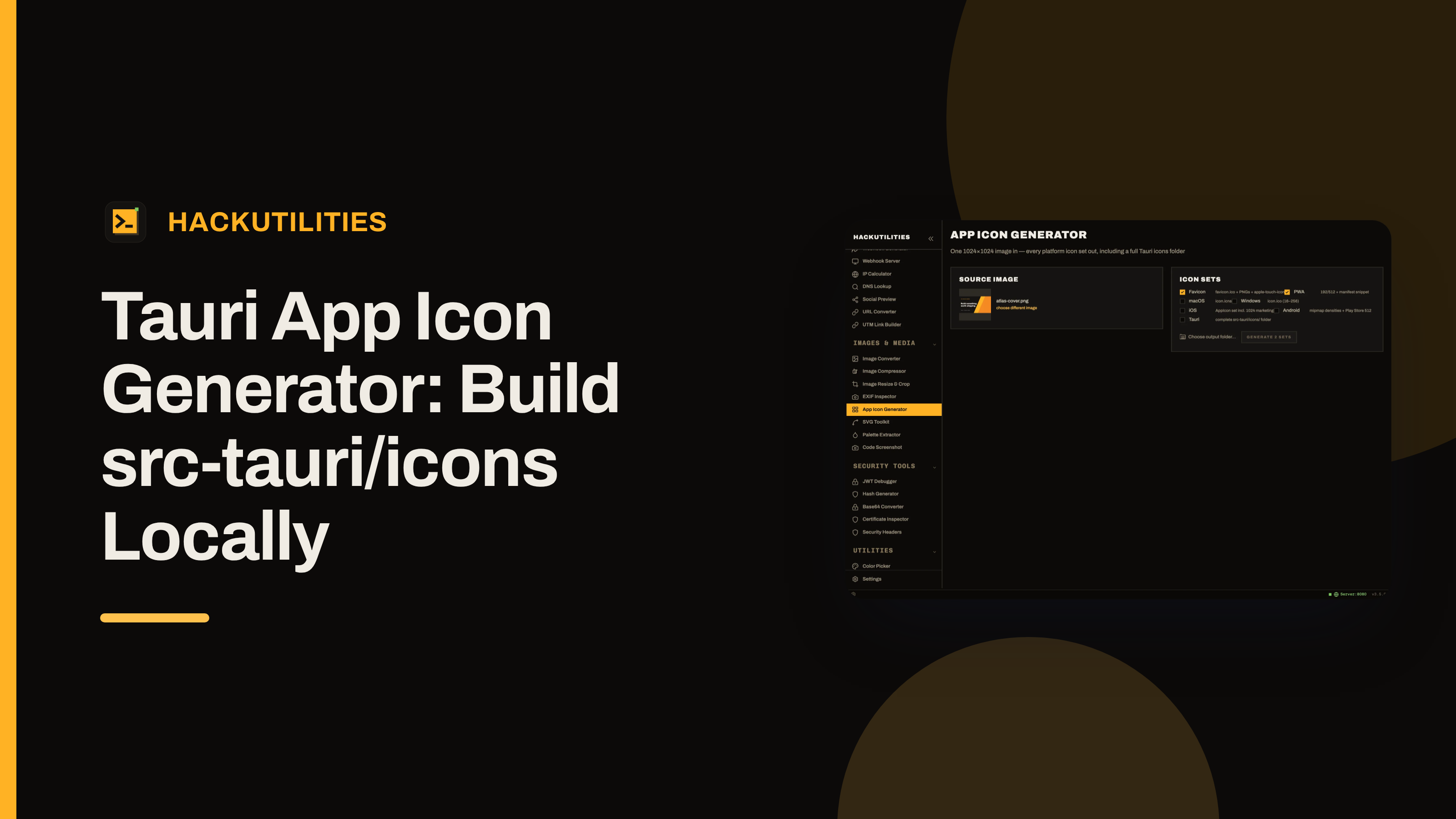
HackUtilities’ 46 built-in tools span seven sidebar categories. Use JSON Formatter to make a response readable, then jq Playground to extract fields. Webhook Server catches test payloads locally; Image Resize & Crop and App Icon Generator handle image sizing and app-icon chores.
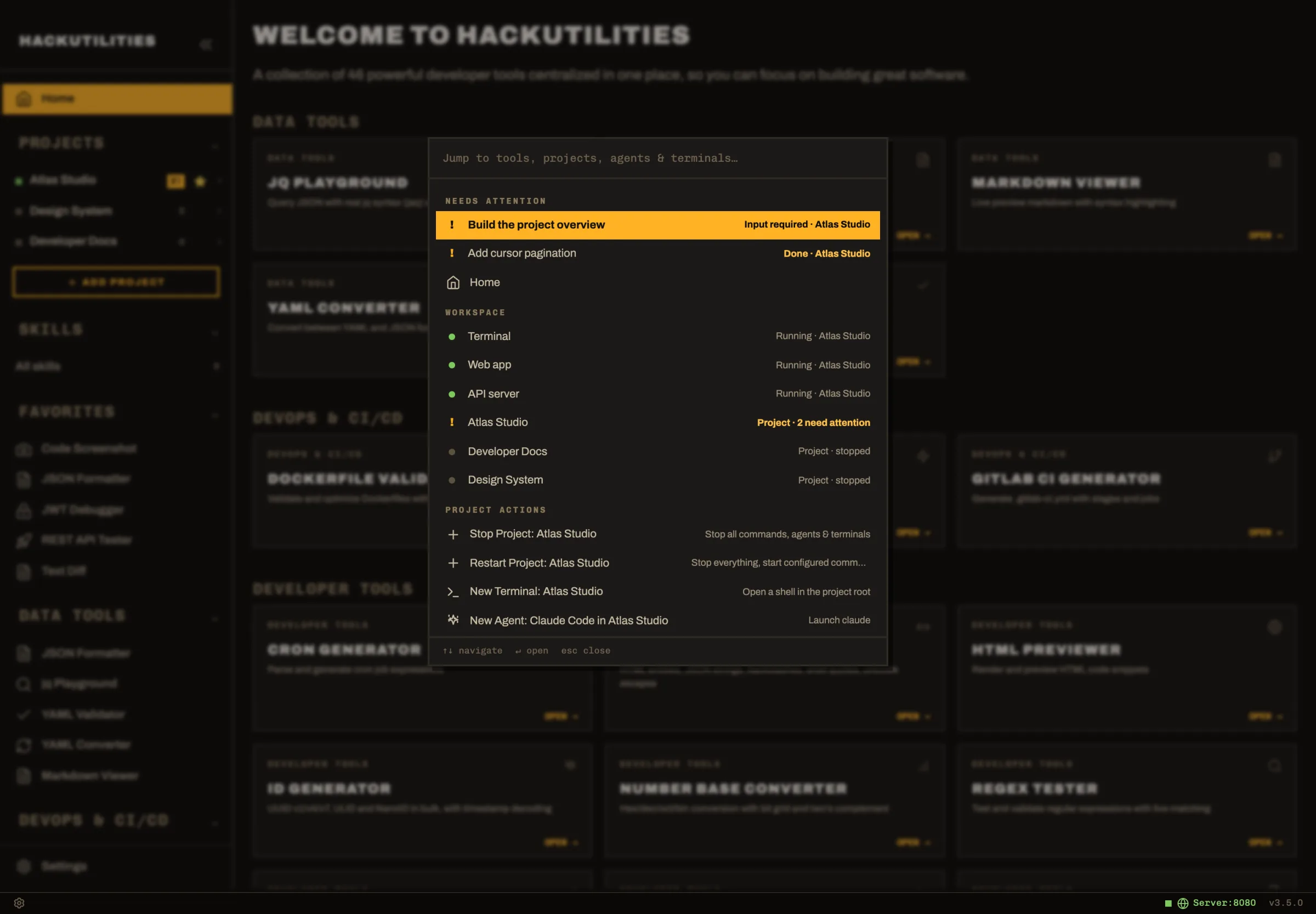
Browse the sidebar or find a tool by name with ⌘K. Smart clipboard detection saves another step: copy JSON, a JWT or a PEM certificate, then focus HackUtilities. It suggests the matching tool with the content already filled in, such as JWT Debugger or Certificate Inspector. Detection runs locally, and the suggestion also appears at the top of the command palette.
Local by default
HackUtilities has no account system, analytics or telemetry. Projects, sessions, configuration and notes stay on your Mac, with nothing synced to a HackUtilities server. Agent traffic goes directly to each agent’s provider; HackUtilities does not proxy it. Your provider’s data handling still matters.
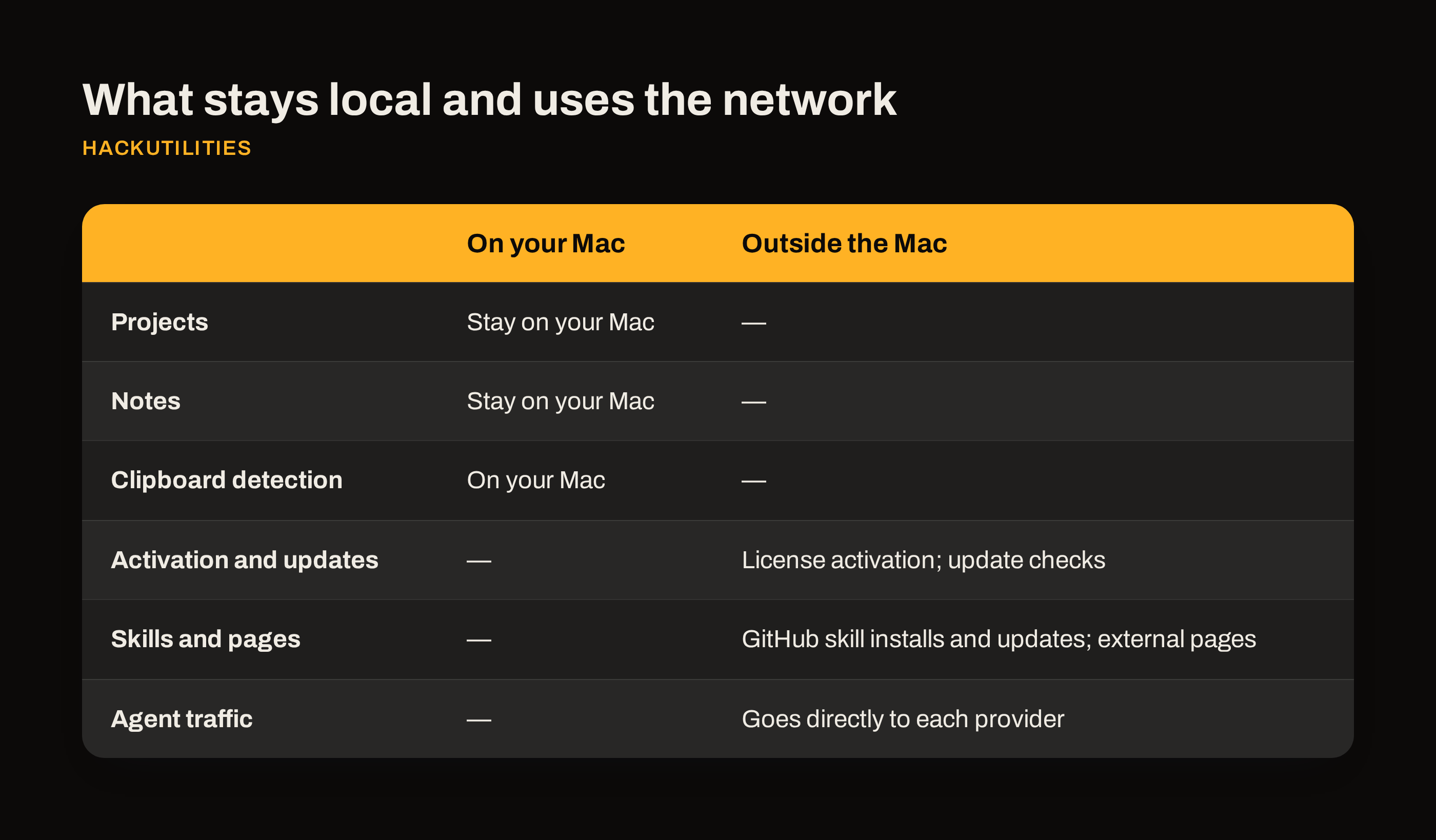
Most features work without a connection. Network use includes license activation, update checks, GitHub skill installs and updates, external pages, and agent/provider traffic. Network tools also connect when used, including DNS Lookup and Certificate Inspector’s live-chain checks. Activation sends your license key and machine information, as detailed in the privacy policy.
Choose by workday
HackUtilities fits Mac developers running Claude Code or Codex beside a local stack. The signed Mac build supports Apple Silicon and Intel. There’s no official Linux build. On Windows, there’s no taskbar badge for agents needing attention, and stopping processes effectively force-kills them. It launches CLIs you’ve already installed; it neither installs them nor provides a hosted AI service.
Return from fixing something else, and the test is concrete: can you find the failed worker or waiting agent without inspecting every terminal tab? That’s what I’d check before buying the one-time license with lifetime updates.
Download the 14-day free trial and use your usual repo. All features are included, with no card or account required.