How to Share Skills Between Claude Code and Codex Without Forking Them Forever
A practical workflow for making one skill usable in both Claude Code and Codex without hand-editing dotfiles or losing track of which copy changed.
Martijn Smit 6 min read
How to share skills between Claude Code and Codex without forking them forever
I’d share a skill between Claude Code and Codex by keeping a copy in each agent’s global skill folder. The maintenance catch: edit only the Claude Code copy, and Codex keeps the old instructions.
Here’s a TL;DR:
- Decide whether you need one portable skill or two intentional variants.
- Copy the skill to the other agent’s user folder.
- Use per-agent toggles and drift warnings instead of hand-editing dotfiles.
For a personal skill without agent-specific dependencies, I’d use HackUtilities’ Copy to agent… action. It manages real copies, not symlinks; symlink-based installs are outside its scope. The trade-off is deliberate review rather than automatic synchronization or conversion: you keep per-agent toggles and diagnostics, then review differences before deciding what to sync.
Decide upfront: one portable skill or two intentional variants?
A review checklist written in plain Markdown is a good candidate for shared instructions. A skill that depends on agent-specific arguments, tools or metadata needs closer inspection.
Open Skills → + New to see the template distinctions:
- Portable uses only the open-spec frontmatter fields
name,description, andlicense. - Claude task adds
when_to_use,argument-hint, and a$ARGUMENTSsection for Claude Code. - Codex uses portable frontmatter plus an
agents/openai.yamlsidecar.
For an existing skill, use the grid’s portable and Claude-only tags as cues, then read the content. If the task depends on $ARGUMENTS, or the Codex version needs its sidecar, keep those differences as intentional variants. Don’t strip something the task needs just to make the files match.
This is a decision rule, not a complete compatibility matrix. Portable metadata doesn’t establish that references to agent-specific tools or behavior will work in both agents.
Find the live skill folders before you copy anything
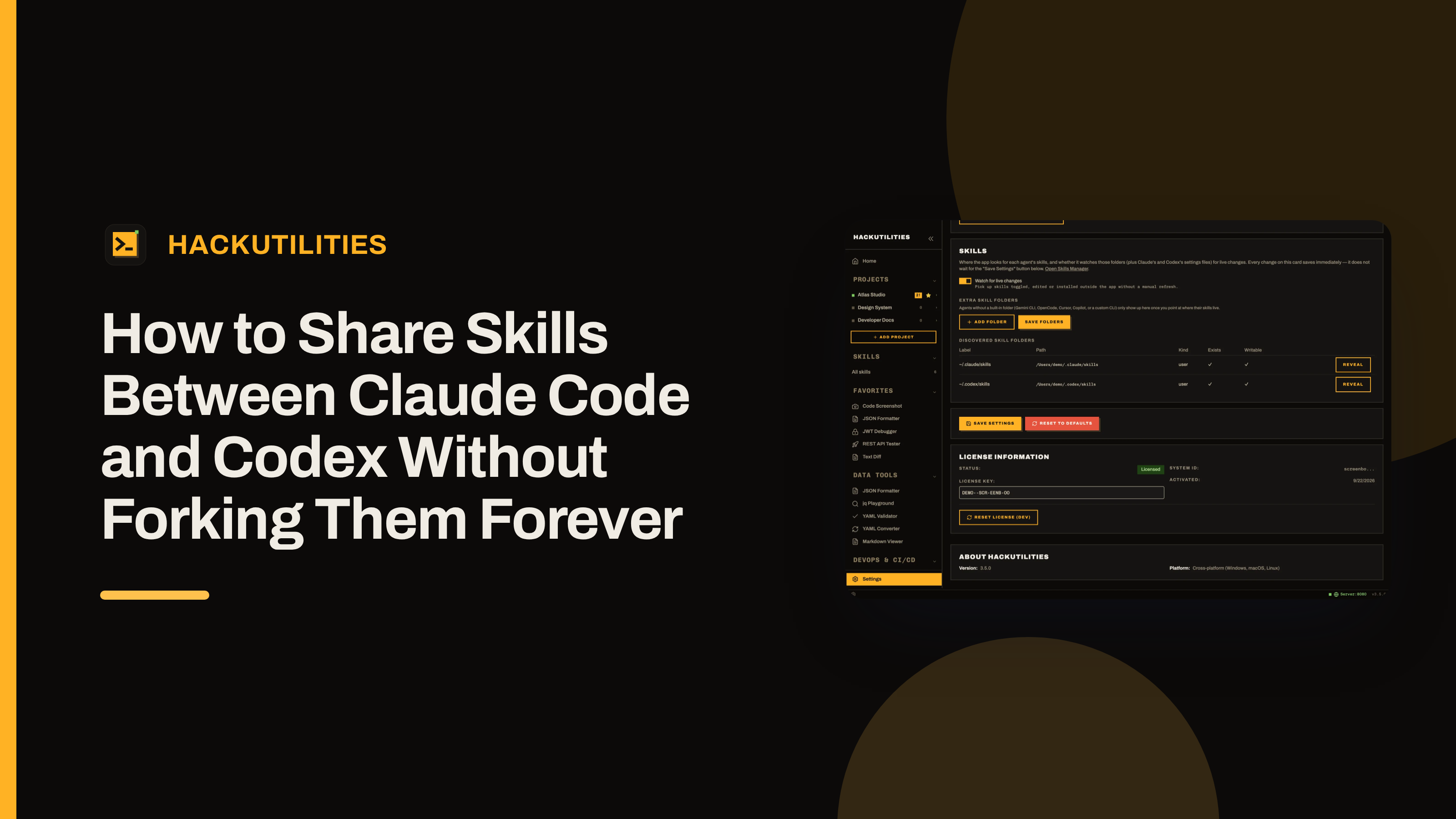
Open Settings → Skills and check Discovered skill folders. The table lists Label, Path, Kind, Exists, and Writable, with a Reveal button for each row. Confirm that your destination exists and is writable, then reveal it to inspect the folder.
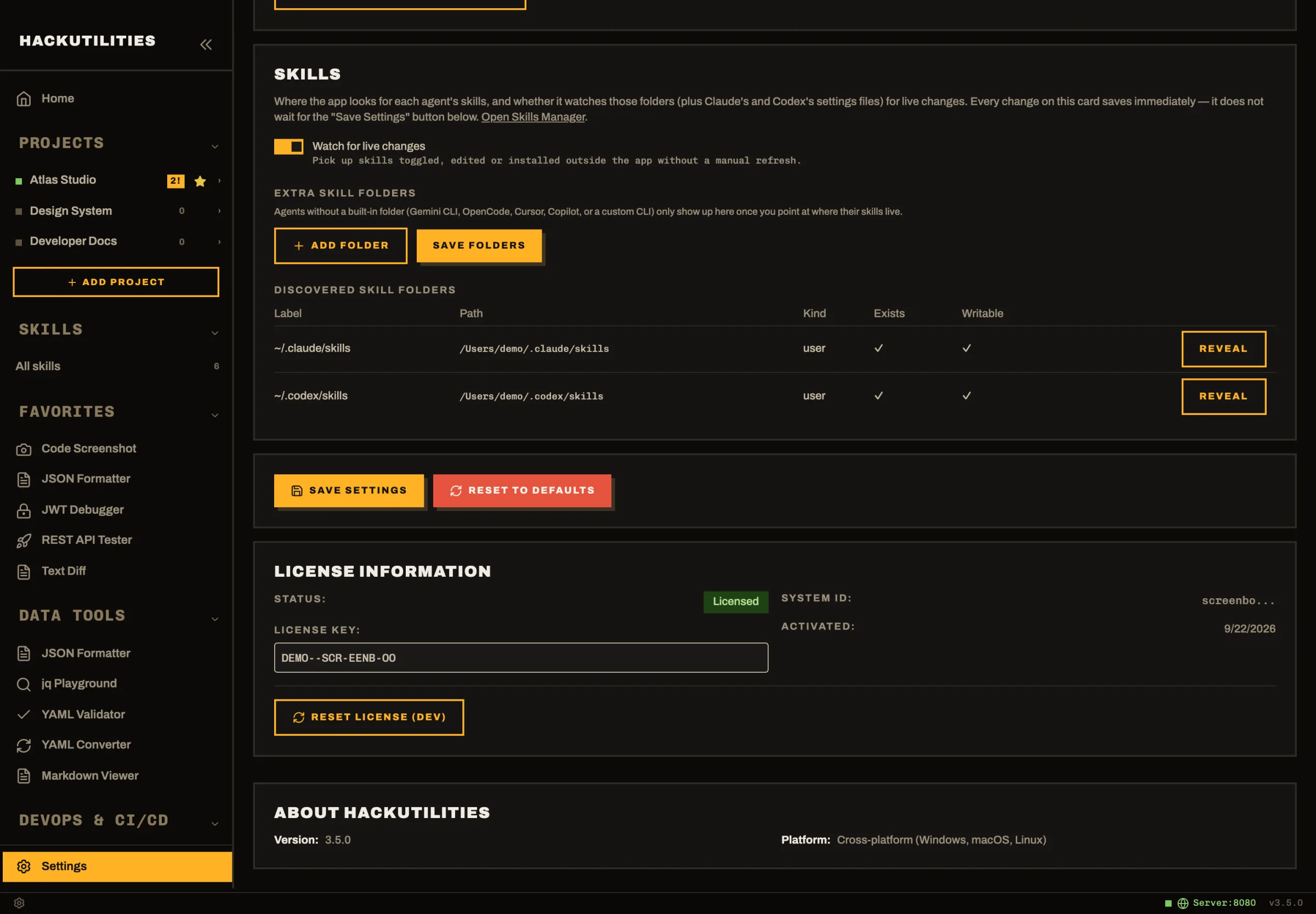
HackUtilities scans these built-in locations:
| Agent | Global skill locations |
|---|---|
| Claude Code | ~/.claude/skills, plus skills from enabled Claude Code plugins |
| Codex | ~/.codex/skills and ~/.agents/skills, plus OpenAI-managed system skills in ~/.codex/skills/.system |
The table includes discovered plugin folders, so you can check their actual paths rather than guess where a plugin keeps its files.
Next, open Skills → All skills → Installed. The grid reads the folders on disk; HackUtilities keeps no separate copy of their contents. Installs with the same directory name in Claude Code’s and Codex’s user folders appear as one card. Matching instructions alone won’t group differently named folders.
Open the card and check the header’s folder path and install selector to confirm which install you’re inspecting.
Copy the skill to the other agent from one card
From the open skill, choose ⋯ Actions → Copy to agent….
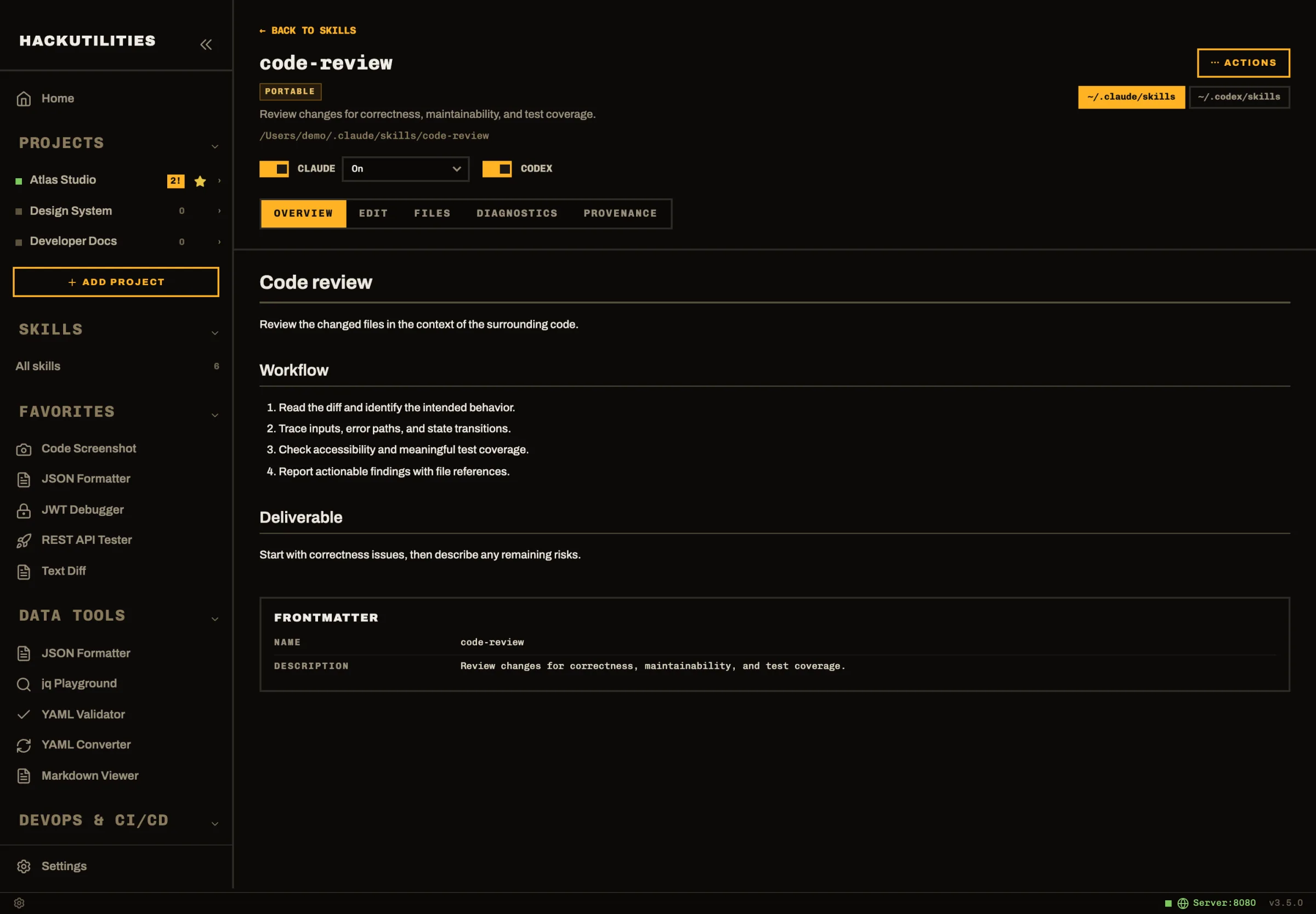
- In Target folder, pick the other agent’s user folder.
- Under If it already exists, choose how to handle the destination skill. Inspect an existing copy first so you don’t replace edits you meant to keep.
- Confirm the copy.
HackUtilities copies the files; it does not create a symlink. The destination is an independent install, and copying doesn’t convert agent-specific instructions.
Symlink-based installs are outside this workflow. Copies let you keep intentional per-agent differences; drift warnings prompt you to review a per-file diff before syncing, rather than letting those differences go unnoticed.
Afterward, use the card’s install selector to inspect the destination. The same-name copies remain accessible from that card.
Use per-agent toggles instead of hand-editing settings files
For Claude Code and Codex user-level installs, the card’s agent pills and detail-header switches control each agent separately. You can leave the skill enabled for Claude Code and disabled for Codex while editing the Codex version. Disabling never deletes, moves or renames the skill. Plugin-managed skills are controlled by the plugin, not these switches.
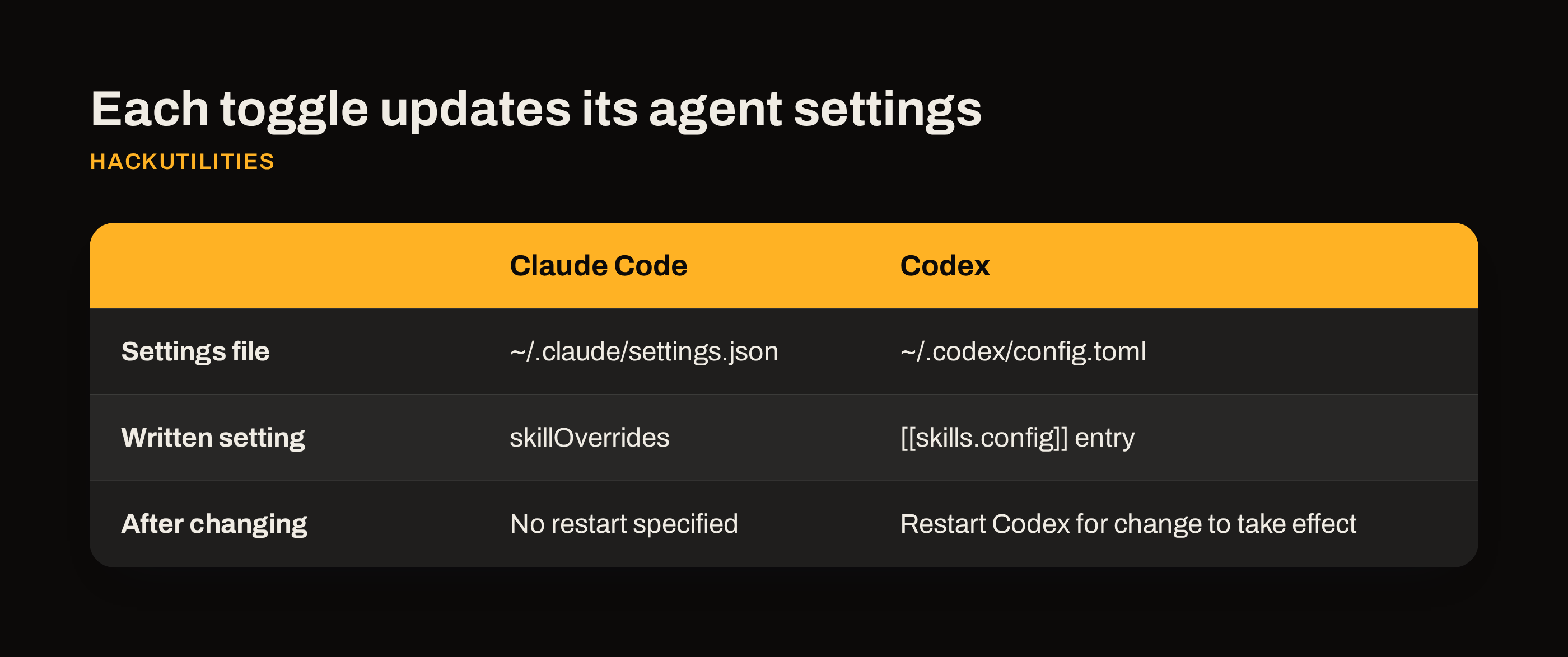
For Claude Code, HackUtilities writes skillOverrides in ~/.claude/settings.json. While enabled, the visibility selector offers On, Name only, and User-invocable only.
For Codex, the switch writes a [[skills.config]] entry in ~/.codex/config.toml. Restart Codex after enabling or disabling the skill so the change takes effect in your session.
HackUtilities preserves other keys, comments and formatting in both files. Before the first change in a session, it writes a backup named <file>.hackutilities.bak. If a settings file fails to parse, the app reports Could not read settings file and won’t overwrite it.
Expect drift after quick edits, and resolve it on purpose
Suppose you add a review exception to the Claude Code copy, then fix a script in the Codex copy later that afternoon. Both edits may be worth keeping. The resulting drift warning means the copies differ, not that copying failed.
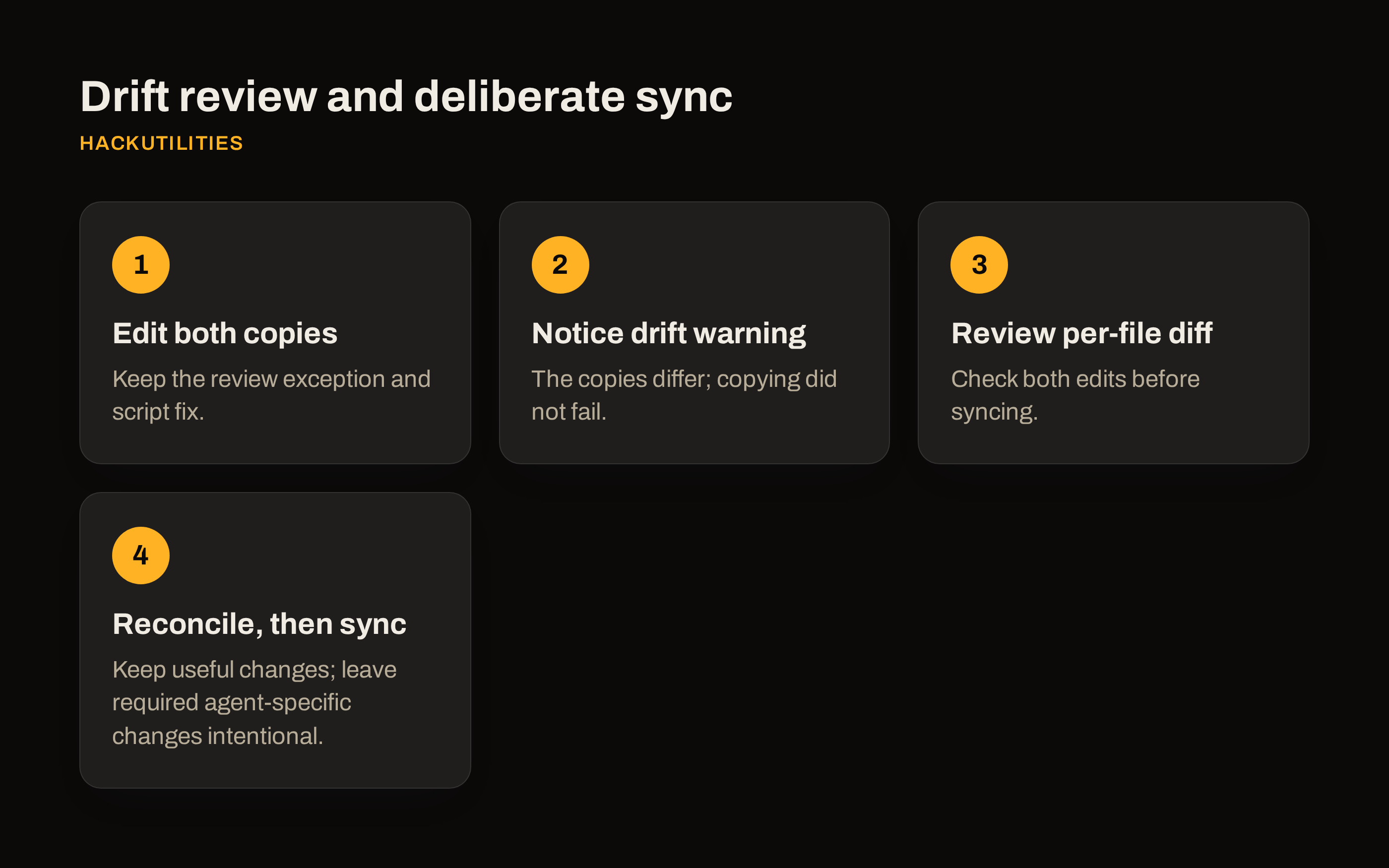
Under Settings → Skills, keep Watch for live changes on to have outside edits appear in the grid without a manual refresh. An editor or shell change can then surface even when you weren’t working in the Skills Manager.
Open ⋯ Actions → Resolve drift… and review the per-file diff before syncing. Don’t choose a source simply because it was edited most recently: in this example, replacing either copy wholesale could lose the review exception or the script fix.
If both sides contain useful changes, reconcile them before choosing a copy to sync from. Don’t assume the workflow will merge conflicting edits for you. If the diff exposes a required agent-specific change, leave it intentional rather than overwrite it just to clear the warning.
If it still looks broken, check Diagnostics first
Open the skill’s Diagnostics tab before treating a failure as a compatibility problem. It checks for missing SKILL.md, frontmatter parse errors, invalid names, and mismatches between the frontmatter name and directory name. It also flags unknown keys, Claude-only keys and drift.
Use the issue to narrow the repair. A key-typo warning can catch when-to-use where when_to_use was intended; orphan-codex-config means a Codex config entry points to a skill that no longer exists. Most checks offer quick fixes. A clean result helps rule out these packaging errors, but doesn’t prove the instructions will run correctly in both agents.
Open Provenance to check source and update status for skills installed through HackUtilities. Other installs show Not installed by HackUtilities. Check for updates needs a network connection; applying an update backs up the current skill first and restores it if the update fails.
Plugin and system skills appear as separate, read-only cards. You can’t edit them or apply diagnostic fixes in place: duplicate the skill into your own folder to make an editable fork.
This workflow covers global user-level skills only. It doesn’t manage project folders such as .claude/skills and .agents/skills inside a repo, legacy ~/.claude/commands, plugin installation or removal, or symlink-based installs.
I’d verify one small skill before copying more:
- Confirm the second install appears in the merged card’s install selector.
- Check that each agent’s toggle is in the intended state.
- Restart Codex if you changed its toggle.
- Check Diagnostics for a clean result, or review any warnings for intentional agent-specific differences.
Let me know which differences you run into.