What a UUID Lookup Can Reveal—and What It Can't
Most UUID lookup searches are asking the wrong question. This article shows when a UUID can reveal a timestamp, when it cannot, and how to use that clue to trace the real record in your own system.
Martijn Smit 4 min read

What a UUID lookup can reveal and what it can’t
If you searched “lookup uuid” after copying an ID from a failed queue job, an online decoder won’t tell you which customer or database row it belongs to. That association lives in the application that uses the ID, not in a global UUID directory.
Some IDs do carry a timestamp. Knowing which kind you have tells you whether decoding is worth doing before you return to the logs.
Choose the right job for your UUID lookup
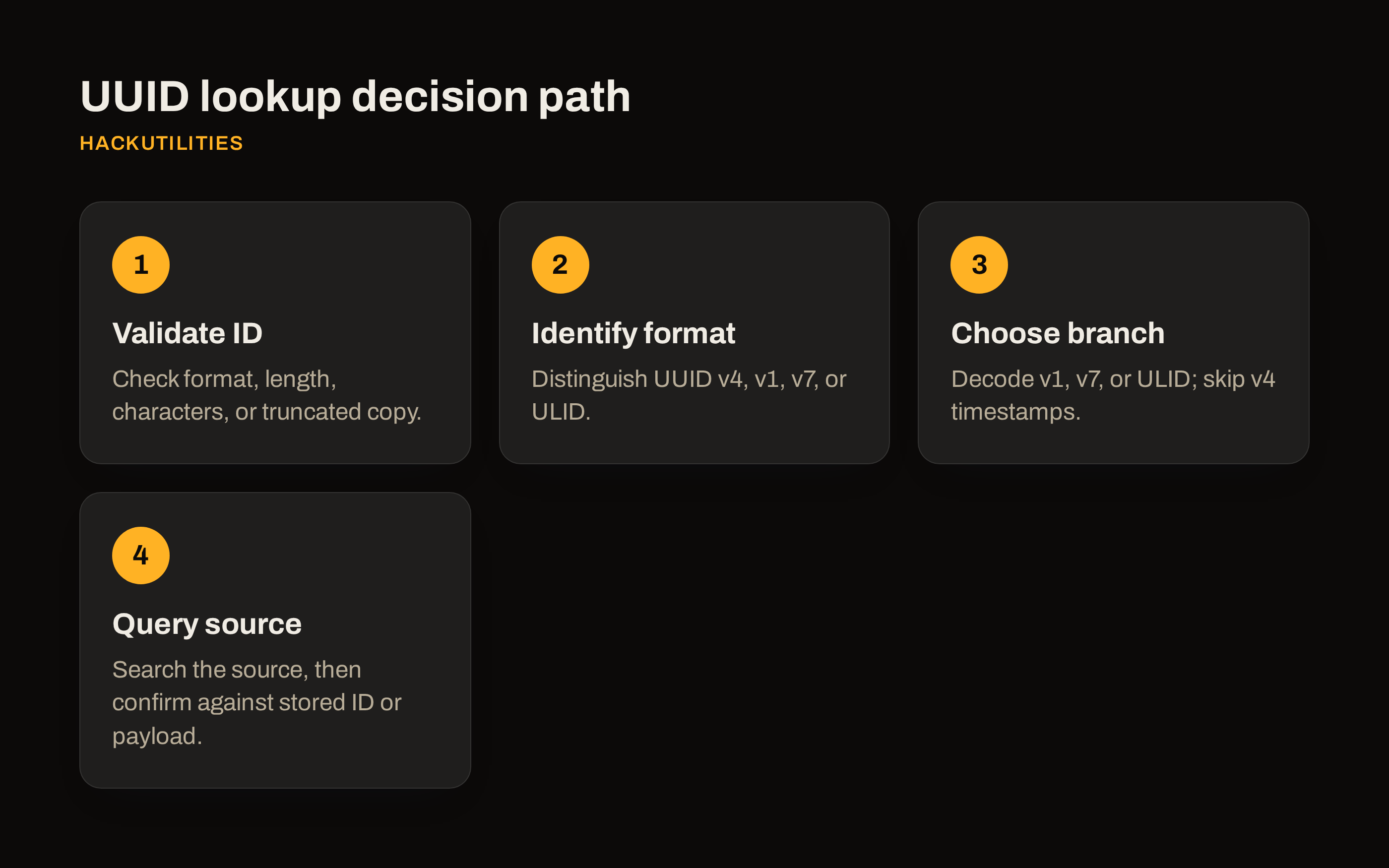
- Validate the copied ID: check it with a validator for the expected format. Wrong length? Compare it with the source field to check whether you copied a UUID or another identifier. Illegal characters? Check for surrounding quotes or punctuation and copy only the field value. Truncated copy, such as a log ending in
…? Retrieve the full ID from the original payload rather than guessing the missing characters. - Identify the format: distinguish UUID v4, v1 or v7 from ULID, which needs a ULID-aware validator. A UUID-shaped string without a decodable timestamp is not necessarily invalid: check its version before treating that result as an error.
- Follow the right branch: for UUID v1, UUID v7 or ULID, decode the timestamp with a tool that supports that format. For UUID v4, skip timestamp extraction and use the failed job’s logged time instead.
- Query the source: search the originating application or table by the full ID. If you decoded a timestamp, use it to narrow the log search, then confirm the match against the stored ID or job payload.
Why UUID v4 won’t reveal a creation date
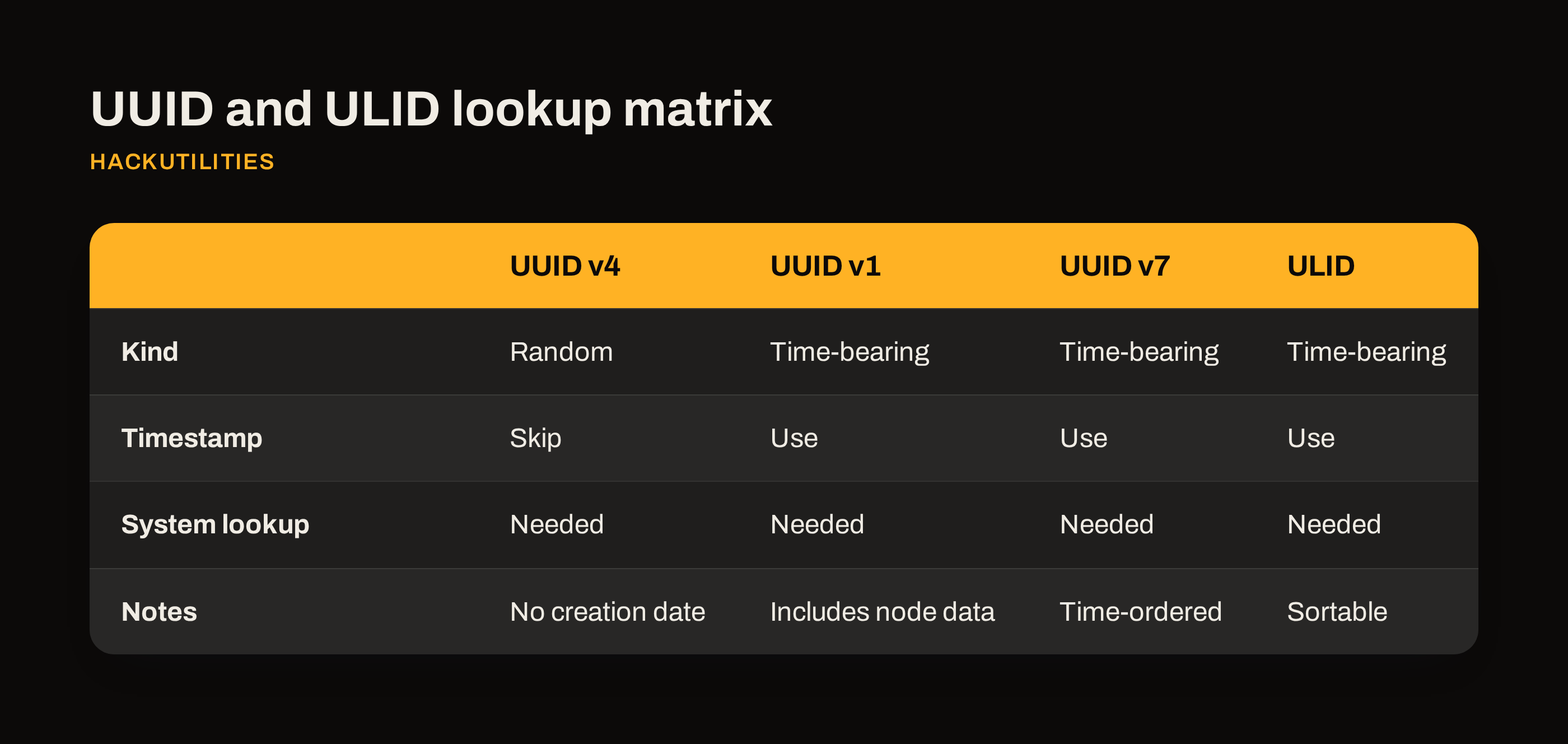
UUID v4 is random and contains no creation timestamp. If you copied one from an old database row, its characters cannot tell you whether it was generated yesterday or years ago. Trying another decoder won’t recover information that was never encoded.
A decoder reporting “No embedded timestamp” has therefore not necessarily failed, and that result does not make the ID invalid. For UUID v4, it is the expected answer.
What UUID v1, UUID v7 and ULID can reveal
UUID v1, UUID v7 and ULID encode time in different ways. Suppose a decoder returns 2026-10-17T10:30:00Z for the ID from your failed job. Match the log viewer’s timezone to UTC, then search 10:25-10:35 for queue events containing that ID. Confirm any candidate against the stored identifier or job payload.
Keep ID generation separate from job execution, though: an ID may have been created before the job was queued or retried. Its timestamp describes the identifier’s creation, not every event involving it.
| Format | Useful debugging distinction |
|---|---|
| UUID v4 | Random, with no creation timestamp. Sorting the IDs does not give you a creation timeline. |
| UUID v1 | Includes timestamp and node data. Treat the node field as part of the identifier, not as a resolved device identity. |
| UUID v7 | Time-ordered and friendlier to database indexes. |
| ULID | Sortable, compact base32 format. It is not a UUID version. |
How to inspect one locally in HackUtilities
Open Sidebar → Developer Tools → ID Generator, then use the Decode timestamp card.
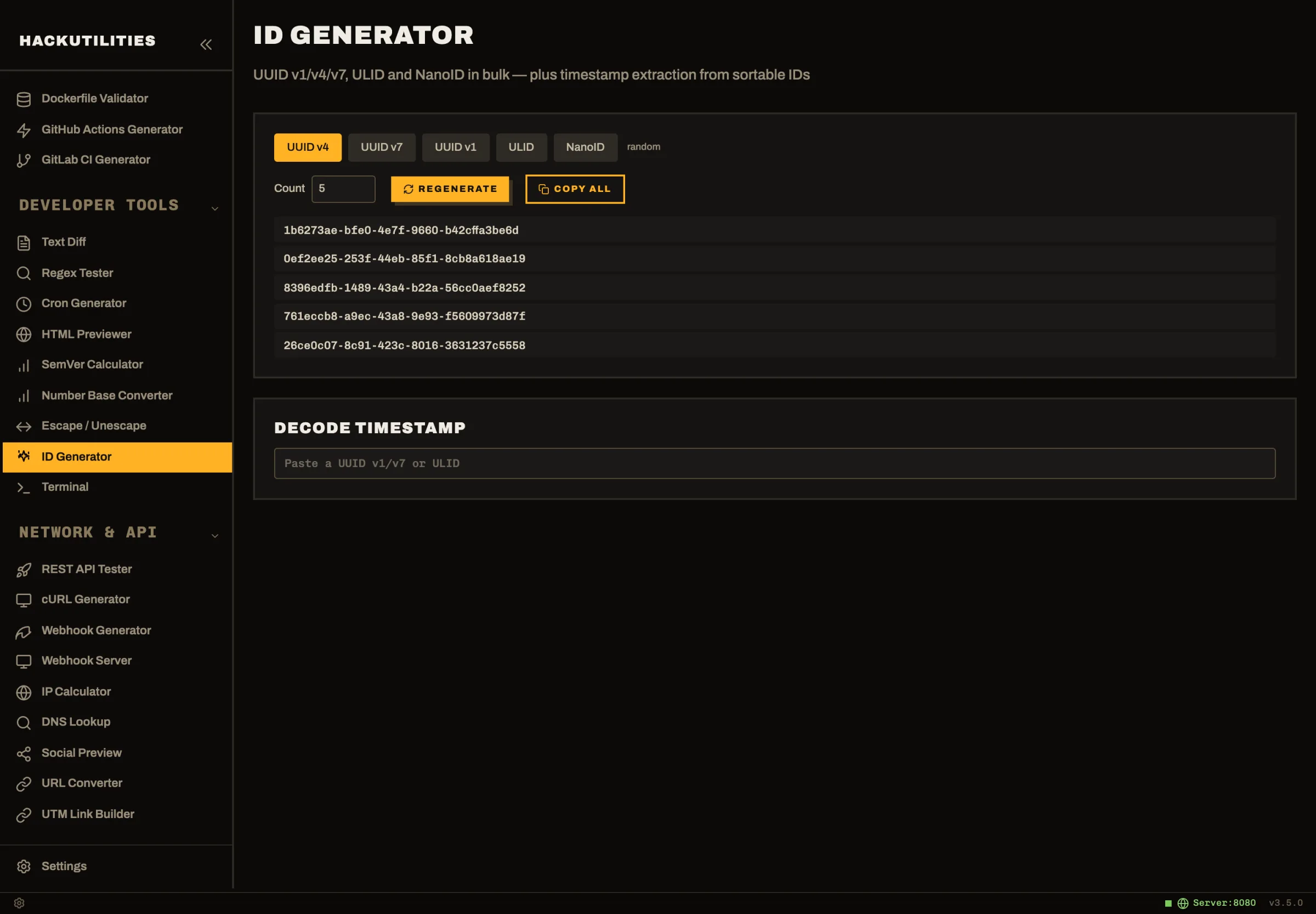
- Paste your ID into “Paste a UUID v1/v7 or ULID”.
- For UUID v1, UUID v7 or ULID, read the detected kind and the created result, which includes local date/time and ISO 8601.
- For UUID v4 or NanoID, the tool reports “No embedded timestamp (UUID v4 and NanoID are fully random).”
You can also copy a UUID or ULID and switch to HackUtilities. Smart clipboard detection runs locally and can offer to open the ID Generator with the decode field already filled in. The ID Generator makes no network requests.
The generation controls are separate: they create fresh UUID v1/v4/v7, ULID or NanoID values in batches of 1-1000. You don’t need them when inspecting an existing ID.
Use the timestamp to narrow your search
Take the earlier 2026-10-17T10:30:00Z result from a UUID v7 or ULID: set the log viewer to UTC and filter enqueue and retry events to 10:25-10:35, using the full ID wherever it is logged. Then query the relevant database table for that exact ID to confirm the record. If no queue events appear, widen the window beyond 10:35: the ID may have been generated well before the enqueue attempt or retry.
For database work, use the window to narrow an insert investigation, then query the relevant table by the full identifier. Matching timestamps only give you candidate events; confirm the connection through the stored ID or message payload before attributing the failure to a particular record.
Paste the next UUID or ULID from a failed job into HackUtilities’ ID Generator to check for an embedded timestamp locally. If you don’t have the app, there’s a 14-day free trial. Let me know what you think.