tmux alternative for local development on Mac and Windows
See which tmux jobs map cleanly to HackUtilities for local development on macOS and Windows, where the fit is better, and where tmux still wins.
Martijn Smit 8 min read
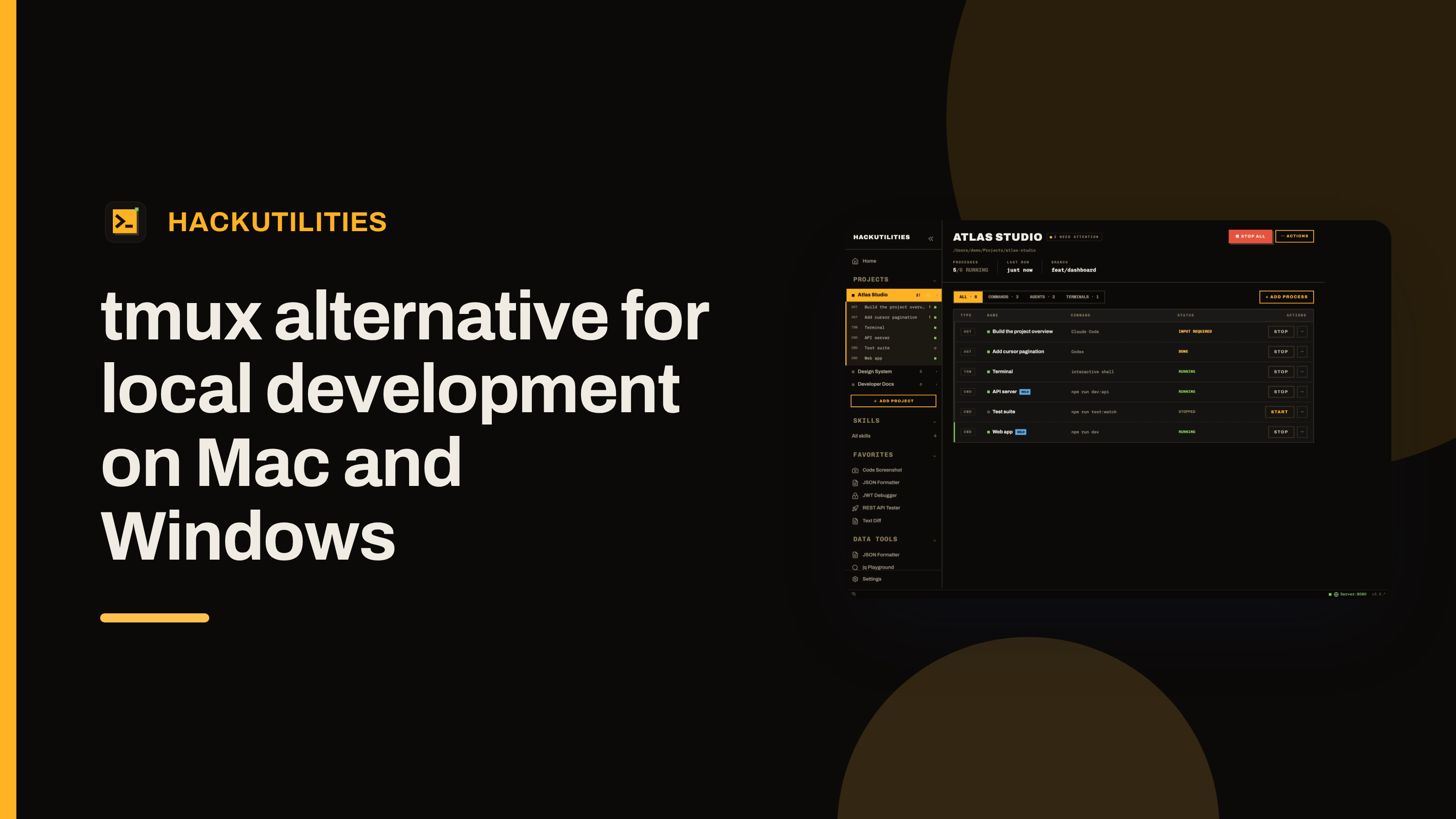
If your usual tmux session for one repo is a web server, a queue worker, a watcher, a spare shell, and a Claude Code or Codex pane, HackUtilities is a good alternative on macOS or Windows for that local stack.
In HackUtilities, that same repo becomes one project with supervised commands for the long-running processes, real PTY terminals in your own shell, and agent sessions side by side. It launches the CLI you already installed with your own login and subscription, so nothing is proxied.
I'm drawing a narrow boundary here on purpose: HackUtilities is for local project orchestration, not SSH persistence. If you need terminal-native persistence, remote-first workflows, or Linux as your main platform, I'd stay with tmux. If your pain is rebuilding the same local stack every morning and keeping agent sessions visible without living in a pane grid, I think HackUtilities is the better fit.
Organize by repo, not by pane layout
A lot of local tmux usage follows the same pattern: cd into one repo, start the app, start the worker, start the watcher, keep one shell free, then wedge an agent session into whatever pane is left. HackUtilities changes the unit of organization. You register the repo as a project, and that project becomes the place where those recurring pieces live together instead of being rebuilt as a terminal layout every time you switch back.
That matters more once agent work is part of the day. HackUtilities was built around local development with agent CLIs, so Claude Code, Codex, Gemini CLI, and OpenCode can sit in the same project context as the processes they are changing. They launch in the project root, next to the shells and long-running tasks for that codebase, which is usually a better fit for day-to-day app work than treating the agent as one more pane.
The practical boundary is simple: this is for the part of your workflow that belongs to one local codebase and tends to come up together every morning. Projects and the 3.0.0 release reflect that model directly.
One tmux session maps cleanly to one HackUtilities project
Take a plain local setup: one pane running the web app, one running a queue worker, one running a watcher, one spare shell, and one Claude Code or Codex session. In HackUtilities, that usually maps like this:
- Web app, worker, watcher -> Commands
- Spare shell -> Terminal
- Claude Code or Codex -> Agent session
- Persistence, reattach, remote SSH -> no direct equivalent
So one tmux session often becomes one project with three command rows for the long-running processes, one terminal row for the ad hoc shell, and one or more agent rows for the coding sessions.
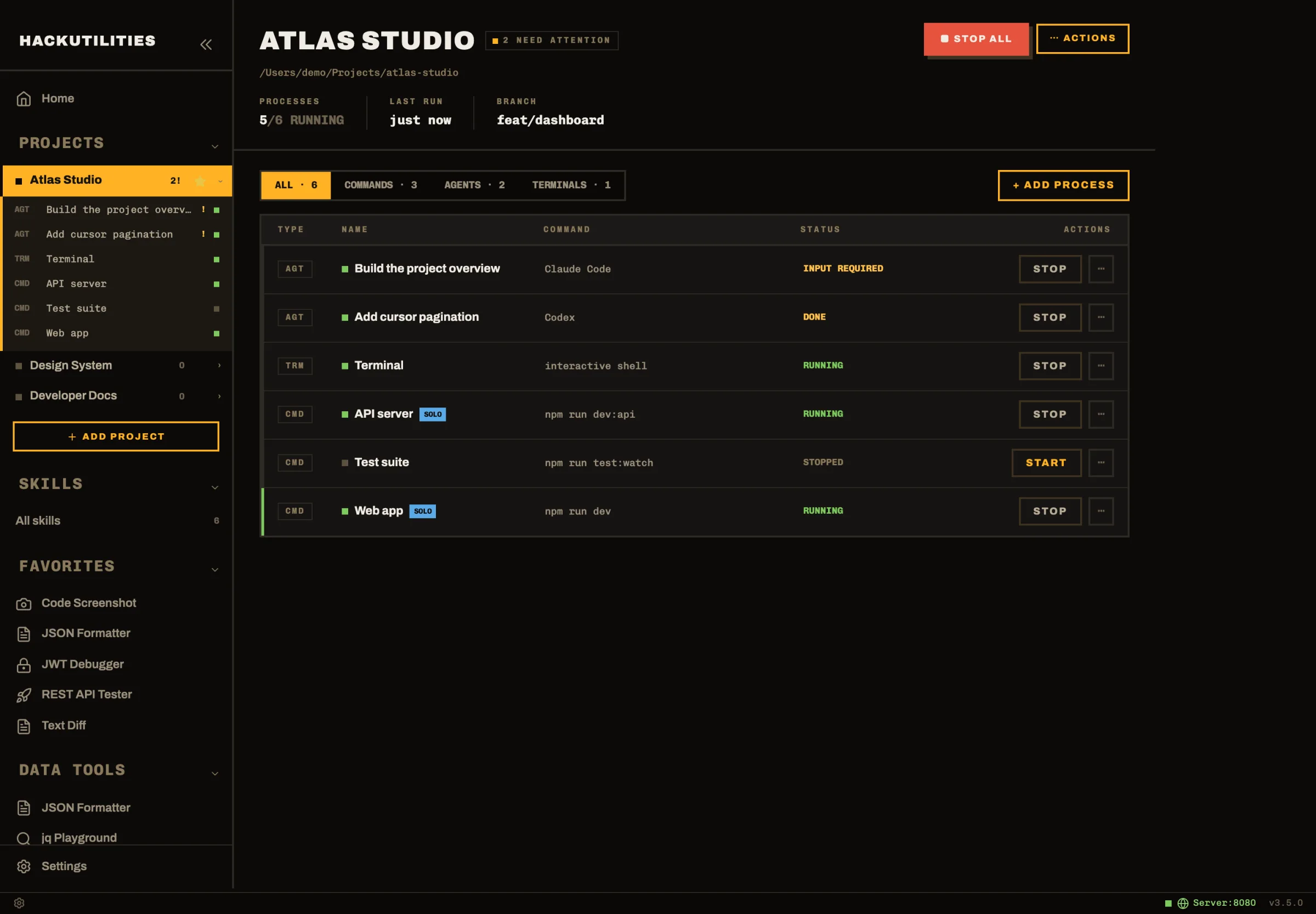
The useful part in daily use is the project overview. Its process table shows commands, agents, and terminals together, with filters for ALL, COMMANDS, AGENTS, and TERMINALS. Each process keeps its own row with its name, command text, status, and action button, so you do not have to remember that your worker is in the bottom-left pane and Claude is in pane five.
That row-based view also holds up better when the setup grows. You can run more than one session of the same agent tool in one project, so two Claude Code tasks, or Claude Code next to Codex, still stay readable in one place. Projects is where that mapping lives.
Why it feels simpler in daily local development
The main day-to-day difference is that the repeatable part is explicit. Start All brings up only the commands that are both marked Start with project and already trusted, then leaves terminals and agent sessions stopped. That is a useful boundary for local work: the web server, worker, and watcher can come up the same way every morning, while the spare shell and the agent you need today stay manual.
The terminal rows are interactive PTY shells, not log panes attached to predefined commands. A terminal starts in the project root in your own shell, so ad hoc work still feels normal: inspect a file, run a one-off migration, open vim, check htop, try a command, then close it when you are done.
On macOS, HackUtilities also asks your interactive login shell for its PATH and uses that for commands, terminals, agents, and install checks. That matters if you launch apps from Finder or the Dock, where desktop apps often get a stripped-down environment. If your tools come from nvm, asdf, or mise, this avoids the familiar version of local setup where the command works in Terminal but fails from the app with command not found.
What HackUtilities adds beyond pane management
Long-running local commands are supervised instead of merely left running. If a process exits unexpectedly, HackUtilities can respawn it with exponential backoff starting at 0.5 seconds and stretching to 8 seconds. If it crashes five or more times within 60 seconds, it stops retrying so a bad boot loop does not keep thrashing in the background. It can also restart a command when watched files change, with a 500 ms debounce and glob patterns such as config/*.php or src/**/*.rs.
For Claude Code, the useful difference is that the session is not treated as just another terminal buffer. HackUtilities reads Claude Code's own session state, so it can label a session as Working, Input required, Permission required, or Done from the agent's actual state instead of guessing from whatever text printed last. Claude sessions also pick up live titles from the transcript, so a row can read the task it is actually doing rather than sitting there as a generic numbered session.
That state matters more when the app is not frontmost. If an agent moves into an attention state while HackUtilities is in the background, you get an OS notification. On macOS, the Dock badge updates too. Clicking the notification takes you straight back to that session. In practice, that means you can leave an agent working, switch back to code or a browser, and come back only when it needs approval, input, or has finished. Projects covers those behaviors in more detail.
The trade-offs: where tmux still wins
The biggest gap for me is persistence: quitting HackUtilities stops every command, terminal, and agent it started, and when I reopen the app they come back as stopped rows with no earlier terminal or agent output to reattach to. Another practical limit is solo.yml sync: it happens when you add or start a project, or when you choose Sync solo.yml, not continuously in the background.
There is also a deliberate safety step around solo.yml. Repo-provided commands import as untrusted, so they will not run until you review and trust them on that machine. That trust is local only, not written back into the repo, and any content change to the command, working directory, or environment invalidates trust again. For shared repos, that is a sensible guardrail. If you expect a checked-in manifest to run immediately everywhere, it is extra friction.
That shows up again after a restart or project start: the repeatable command part comes back fastest, but terminals and agent sessions are still something you relaunch on purpose. If you want a workspace manager that always rehydrates every interactive session automatically, tmux still has the cleaner model.
Platform support is the other clear line. HackUtilities has signed builds for macOS and Windows, with no official Linux build listed on the downloads page. On Windows, some workspace behavior is also weaker than on macOS: there is no taskbar badge for agent attention states, graceful stop is effectively a force-kill for many console apps, and Claude Code state matching can fall back to heuristics more often. So if your main requirement is broad terminal-native portability, especially Linux first, tmux remains the safer choice.
Who should switch, and who should stay on tmux
A simple rule works here. If your local day usually means bringing up three or more long-running repo processes, then adding one or two agent sessions and a spare shell on top, HackUtilities is worth trying on macOS or Windows. That is the case where the project view, supervised commands, and agent visibility save the most friction.
Stay with tmux if the terminal itself is the product: remote server work, long-lived SSH sessions, Linux as your primary platform, or a strong need to reattach to exactly what was running later. Those are core tmux jobs, and HackUtilities does not try to replace them.
Do not start by rebuilding your whole terminal life. Pick the one repo where tmux is mostly babysitting local processes, add the server, worker, and watcher as commands, open one terminal, launch one agent session, and use that setup for a couple of normal workdays. You can take the product tour first, then use the 14-day free trial to run that one-project test. If something in your tmux workflow does not map cleanly, let me know. I'd love your feedback.