HackUtilities v3.7.0 is out: Visible Sub-Agents, Local Control, Better Windows Support
Hi 👋 HackUtilities v3.7.0 is out. Here’s the TL;DR on visible sub-agents, local MCP control, Windows improvements, and the keyboard changes I’d learn first.
Martijn Smit 4 min read
Hi 👋 HackUtilities v3.7.0 is out.
Here's a TL;DR:
- Windows — full support. Projects, terminals and agents behave the same as on macOS.
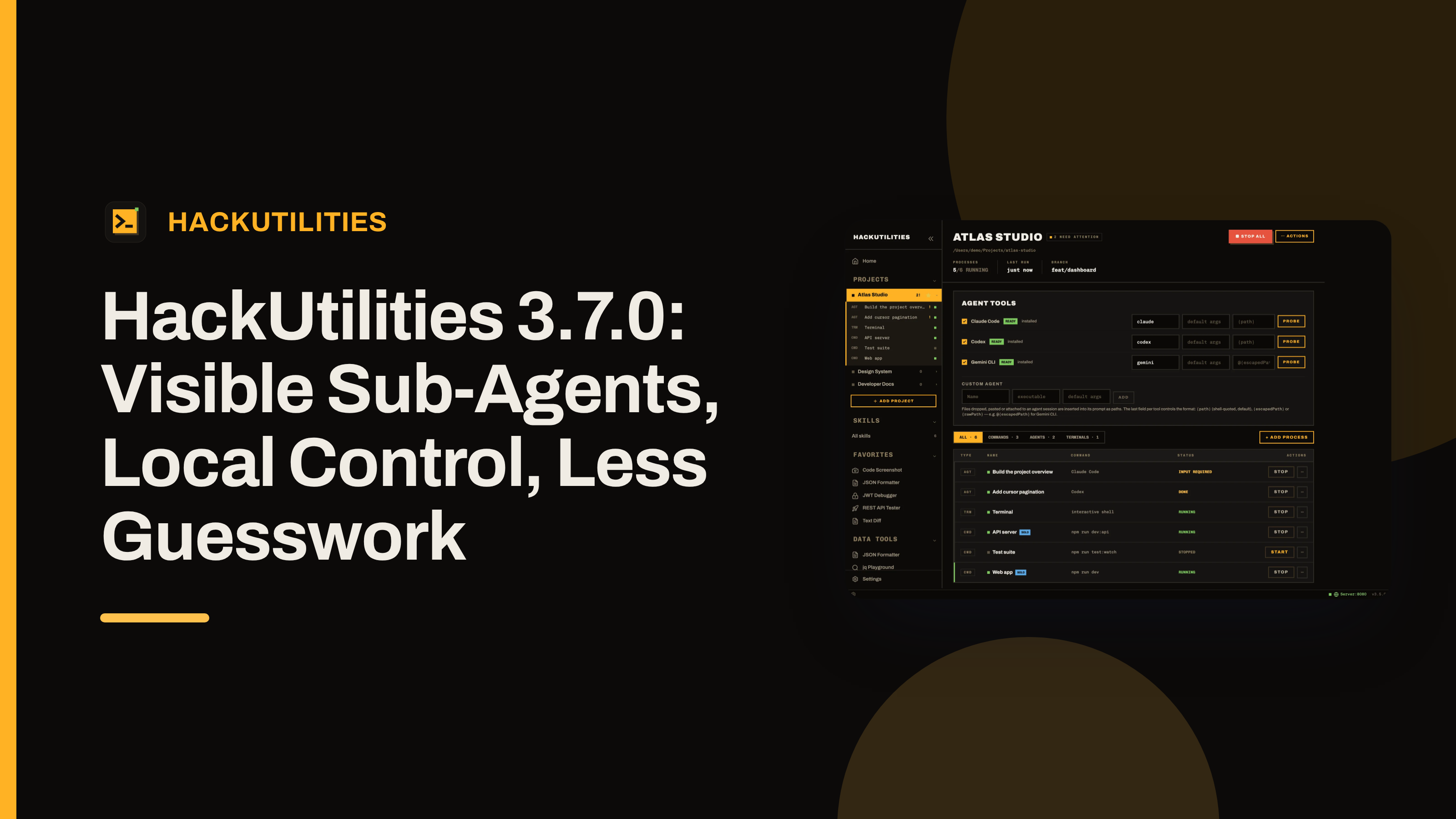
- Visible sub-agents — Claude Code, Codex, Gemini CLI and OpenCode spawn sub-agents as real sessions, nested under their parent in the sidebar.
- HackUtilities MCP server — a local MCP server on 127.0.0.1 lets agents register projects, add and start dev commands, and manage sub-agents.
- Agent Integration — install or remove the MCP server and the bundled sub-agents skill for Claude, Codex, Gemini and OpenCode in one click. Settings > Agent Integration.
- Page switcher — hold Ctrl+Tab for a tile switcher of recent pages, tap it to flip back to the last one. Ctrl+` jumps to the next agent waiting for input. Cmd+[ / Cmd+] (Alt+Arrows on Windows and Linux) and the mouse back/forward buttons move through history.
- Keyboard navigation — the sidebar takes arrow keys, Home/End and Esc. Cmd+B toggles it, Cmd+, opens Settings, Cmd+T opens a terminal, Cmd+1–9 and Alt+1–9 jump to processes and projects, Cmd+= / - / 0 set font size. Cmd+/ shows every shortcut.
..and more.
If you already use HackUtilities with Claude Code, Codex, Gemini CLI, or OpenCode, this is the release where the app feels more like a control room than a terminal launcher. It still launches your own CLIs in your repo, with your own login and your own subscription, with nothing proxied.
Read on for details!
Visible sub-agents
The headline feature in v3.7.0 is that delegated agent work becomes visible in the workspace. In plain English: when agents delegate tasks to sub-agents, you can now see exactly what those delegates are doing.
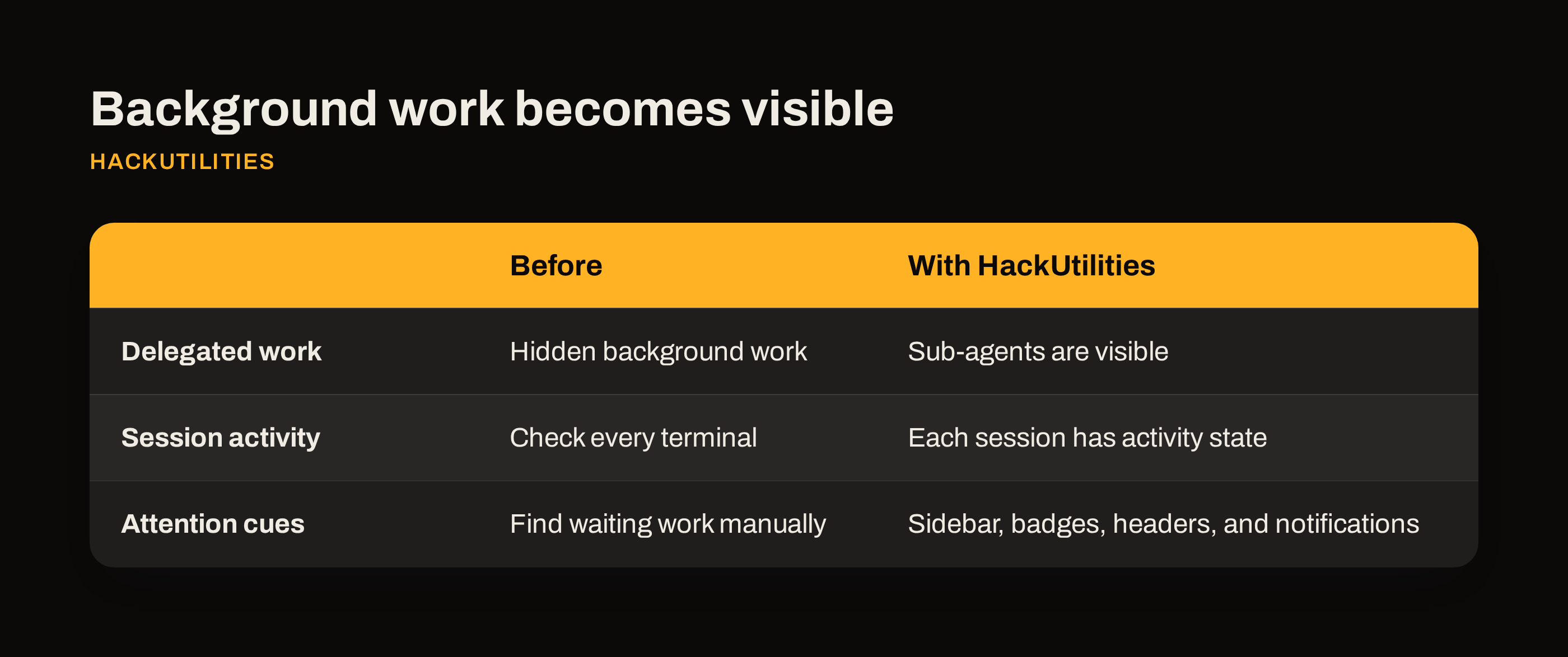
That matters because delegated work used to be easy to lose inside one long-running session. If you're supervising several threads in one repo, the problem is rarely raw parallelism. It's figuring out what belongs to which task, and which thing needs you now.
In HackUtilities, the flow is simple:
- Open Settings > Agent Integration
- Enable the MCP server
- Install the Agent CLIs
After this, the agent will automatically tell HackUtilities about any sub-agents it launches, and HackUtilities makes them visible to you.
Why I added this
If you're like me and keep several agent sessions open in the same codebase, oversight is important: I want to know what the agents and sub-agents are doing.
HackUtilities already shows attention states for top-level sessions in sidebar rows, project badges, session headers, and the command palette's Needs Attention group. Visible sub-agents should help for the same reason: less scanning, less guessing, and less chance that a blocked task sits there for ten minutes while you're looking at the wrong terminal.
That is why I think this is more than an implementation detail. Real nested visibility changes how you supervise work in a real repo.
Windows support
At popular request, v3.7.0 now supports Windows fully on all fronts. Simple as that.
Keyboard changes I'd learn first
I want this part of the post to stay practical. HackUtilities already has a solid keyboard base: ⌘K or Ctrl+K for the command palette, ⌘F or Ctrl+F for find in page, Shift+Enter or ⌘/Ctrl+Enter for a newline in an agent prompt, and ⌘⇧C or Ctrl+Shift+C to copy terminal output verbatim.
Then ⌘[ or Ctrl+[ moves to the previous page, and ⌘] or Ctrl+] moves forward. Last one that's good to know, is `⌃`` which moves you to the next agent that needs something from you.
There are a lot more. To see all possible keyboard shortcuts, open Settings > Keyboard Shortcuts.
How to update and what to try first
If you already have HackUtilities installed, the usual update path is the amber UPDATE v chip in the status bar, then Settings → Updates → Download & restart. If you're still trying it, grab the app from the downloads page and use the 14-day free trial.
After updating, I'd start with one real repo. Open Projects → and make sure HackUtilities is launching the exact CLI setup you expect. You can confirm the executable, default args, attachment template, enabled state, and run Probe to see whether the CLI is Ready, Missing, Broken, or Unknown.
Then try one task that is likely to pause for permission, ask for input, or delegate work. That is where visible sub-agents, attention handling, keyboard flow, and Windows fixes should either feel better immediately or show me what still needs work.
Let me know what you think. I'd ❤️ your feedback, especially if you use Windows or spend much of your day supervising several agent sessions.